
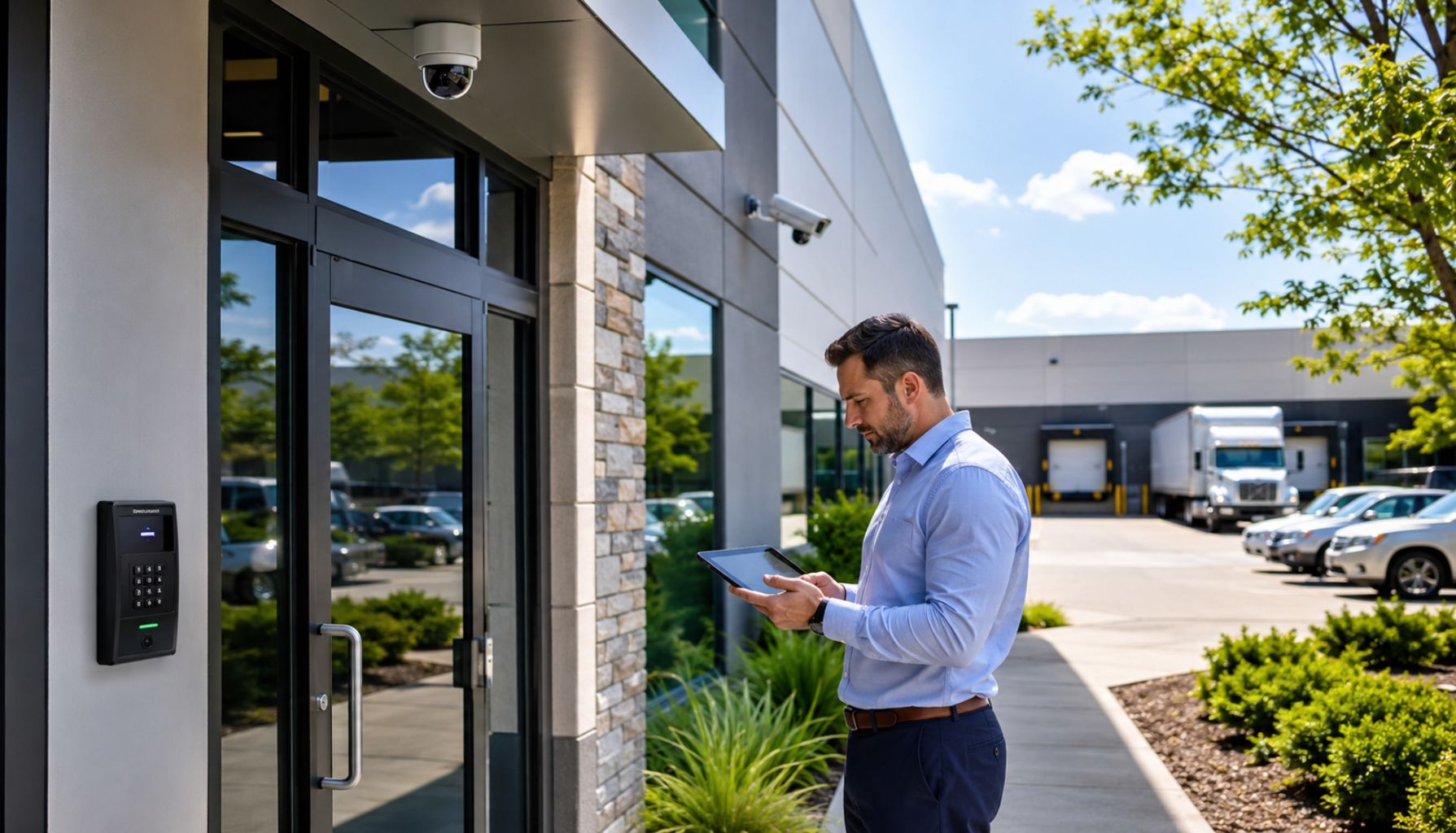
Summer can change how your business operates.
Employees take time off. Temporary staff may come in. Vendors may visit more often. Doors open and close throughout the day. Parking lots, loading docks, and outdoor areas usually see more movement.
Those changes can create small security gaps.
A summer security review helps you find those gaps before they become bigger problems. It also helps you confirm that your access control, video surveillance, alarms, and monitoring still match the way your property operates today.
Your security system should not run on assumptions.
It should support real daily operations.
Use this checklist to review the systems, spaces, and procedures that help protect your people, property, and peace of mind.
Quick Summer Security Checklist
Before the season gets busier, review the areas that affect daily security the most:
- Active employee, vendor, and contractor access
- Former employee credentials
- Door schedules and after-hours permissions
- Access to restricted areas
- Camera coverage around entrances, parking lots, and loading docks
- Video quality, storage, and remote access
- Alarm contacts and escalation steps
- False alarm patterns
- Outdoor lighting, gates, and landscaping
- Employee security procedures
- Monitoring and emergency notification settings
This quick review gives your business a practical starting point. From there, you can decide what needs immediate attention, what can be scheduled soon, and what should become part of a larger security upgrade plan.
Why Summer Is a Smart Time to Review Security
Summer gives businesses a natural mid-year checkpoint.
By June, you can usually see what works, what slows your team down, and where small security issues may be starting to show. You also still have time to make updates before fall, winter, and holiday schedules create new pressure.
Summer often brings more movement across a property. Employees may work different hours. Vendors may need adjusted access windows. Outdoor areas may become more active. Even small changes in signage, landscaping, storage, or parking patterns can affect how well your security plan works.
A door schedule that worked earlier in the year may no longer fit your current hours. A camera that once had a clear view may now be blocked. A former employee or vendor may still have access they no longer need.
A summer review helps you catch these issues before they create unnecessary risk.
Start With Access Control
Access control protects one of the most important parts of your business: entry.
It helps you manage who can enter your property, when they can enter, and which areas they can access. It also gives your team a clearer record of movement across the building.
If your business still relies on traditional keys, access can become harder to manage. Keys can be lost, copied, or kept after someone leaves the company. When access needs change, rekeying locks can also become expensive and inconvenient.
Electronic access control gives your business more flexibility. You can add users, remove users, limit access by role, set schedules by time of day, and restrict sensitive areas without changing physical locks.
That matters during summer, when staffing, vendor access, and operating hours often shift.
Review Active Credentials
Start by reviewing every active credential in your access control system.
Look at access for employees, managers, temporary staff, cleaning crews, maintenance vendors, delivery partners, contractors, property managers, and former employees.
Then ask whether each person still needs access.
Common issues include:
- Former employees with active badges
- Shared PIN codes
- Outdated vendor access
- Unreturned key fobs
- Temporary staff access that was never removed
If someone no longer needs access, remove it.
If someone only needs entry to one area, limit access to that area.
The goal is simple: give people the access they need to do their job, and nothing more.
Update Door Schedules and Access Rules
Access control does more than decide who gets in.
It also controls when they get in.
Summer schedules can change quickly. Your business may open earlier, close later, or operate with fewer people on certain days. Vendors, cleaning teams, and maintenance crews may also need different access windows.
Review access schedules for key entry points, including:
- Main entrances
- Employee doors
- Side and rear doors
- Service doors
- Loading docks
- Parking gates
- Storage rooms
- Records areas
- Cash-handling areas
- Management offices
As you review each access point, ask:
- Does this door need to be unlocked at this time?
- Does it stay unlocked longer than necessary?
- Can employees enter only during approved hours?
- Do vendors have limited access windows?
- Do restricted areas stay locked when they should?
- Can your team review after-hours access events easily?
A door that stays unlocked too long can create unnecessary risk.
A schedule that feels too restrictive can slow down operations.
The right setup should protect the property without making daily movement harder than it needs to be.
Inspect Doors, Locks, and Entry Points
Technology works best when the physical entry point works properly.
Walk your property and inspect the doors, locks, gates, and entry areas your team uses every day. Look for:
- Doors that do not close fully
- Loose handles
- Worn locks
- Broken door closers
- Damaged frames
- Unsecured emergency exits
- Weak fence points
- Service doors that employees prop open
Small problems often go unnoticed because employees get used to working around them.
A door that needs an extra pull to close may seem minor. From a security standpoint, it may mean the door does not lock consistently.
If the access control system says a door is locked, the physical door should support that.
Review Video Surveillance Coverage
Video surveillance gives your business visibility.
It helps your team see what happens on the property, review incidents, monitor high-traffic areas, support investigations, improve accountability, and protect people and assets.
But camera coverage can become outdated as your property changes.
New signage, shelving, parked vehicles, landscaping growth, outdoor equipment, seasonal displays, construction work, or moved inventory can all affect visibility.
Walk your property and compare what you see in person with what your cameras capture.
Focus on the areas where activity matters most:
- Main entrances and exits
- Side and rear doors
- Reception areas and hallways
- Parking lots
- Loading docks
- Inventory areas
- Cash registers or payment areas
- Employee entrances
- Outdoor storage areas
- Dumpster areas
- Gates and fence lines
The goal is not just to have cameras installed.
The goal is to have useful visibility where it matters most.
Look for Blind Spots
Blind spots often develop slowly.
A tree grows into the frame. A sign blocks part of an entrance. A storage rack changes the view inside a warehouse. A delivery truck regularly parks in front of an exterior camera.
During your review, think like someone walking through the property after hours.
Ask:
- Can your cameras show who entered?
- Can they show where that person went next?
- Can your team review activity around side doors, rear entrances, parking areas, and loading zones?
- Are there areas where people or vehicles disappear from view?
If a camera does not show what your team needs to see, it may need to be cleaned, adjusted, repositioned, replaced, or supported by another camera nearby.
A small adjustment can often improve visibility without requiring a major system upgrade.
Test Video Quality and Storage
Camera placement matters.
Video quality matters too.
Your team needs footage that is clear enough to use after an incident. Review live footage and recorded footage at different times of day. Pay close attention to early morning, late afternoon, evening, and nighttime.
Summer lighting can create glare, shadows, and contrast issues, especially near glass doors, parking lots, and west-facing entrances.
Look for practical problems such as:
- Blurry footage
- Dirty lenses
- Poor nighttime visibility
- Sun glare
- Dark shadows near entrances
- Low-resolution footage
- Recording gaps
Then review your storage settings.
Confirm how long footage stays stored, whether cameras record consistently, who can view or export footage, whether remote access works, and how quickly your team can find footage after an incident.
A clear recording is useful.
A missing or overwritten recording is not.
Review Monitoring and Alarm Response
Monitoring helps your business respond when something needs attention.
That may include intrusion alarms, after-hours access events, door-forced-open alerts, video alerts, emergency notifications, fire and life safety alerts, or facility-related alerts.
Monitoring works best when the right information reaches the right people quickly.
Review your:
- Emergency contacts
- Backup contacts
- After-hours managers
- Holiday coverage
- Escalation steps
- Alarm response instructions
- Property manager contacts
- Vendor contacts
Update the list if someone has changed roles, left the company, or will be unavailable during the summer.
A delayed response can create more risk than the original alert.
Reduce False Alarms
False alarms waste time.
They also make teams less responsive when a real alert comes through.
Use your summer review to look for patterns. Do false alarms happen at the same door? At the same time of day? When a vendor arrives? During opening or closing? After cleaning or maintenance?
Common causes include:
- Employees using the wrong code
- Old codes that still work
- Doors that do not close properly
- Motion sensors triggered by airflow
- Vendors entering through the wrong door
- Staff who do not know how to disarm the system
You can reduce many false alarms with better training, updated access rules, and small system adjustments.
Your team should trust the alerts they receive.
Secure Outdoor Areas
Summer often brings more activity outside the building.
Parking lots, sidewalks, storage areas, gates, dumpsters, and loading zones should all be part of your review. Many security concerns begin outside before they ever reach the front door.
Start with visibility. Check:
- Exterior lighting
- Parking lot camera coverage
- Fence and gate condition
- Outdoor storage
- Dumpster areas
- Employee walkways
- Visitor parking areas
- Rear entrances
Then look for simple fixes.
Trim landscaping that blocks cameras. Replace burned-out exterior lights. Secure outdoor equipment. Check that gates close properly. Improve visibility around rear entrances. Remove objects that create hiding spots.
Good outdoor visibility helps your team see what is happening earlier.
Make Sure Your Systems Work Together
Access control, video surveillance, and monitoring work better together.
Each system answers a different question.
Access control tells you who entered and when. Video surveillance shows what happened. Monitoring helps trigger a response.
When these systems operate separately, your team may need to piece together information manually. That slows response and makes incident review harder.
When systems work together, your business gets a clearer picture.
For example:
- If someone uses a badge after hours, your team can review the related video footage.
- If an alarm activates at a rear door, video can help confirm what happened.
- If someone forces open a door, the right people can receive an alert faster.
- If someone accesses a restricted area, the system can create a clearer event record.
Integrated security can help your business respond faster, improve accountability, reduce manual work, support after-hours protection, and manage multiple locations more confidently.
Security should not feel disconnected from daily operations.
It should help your team understand what is happening and act with confidence.
Adjust the Checklist by Property Type
Every business has different risks.
A professional office, warehouse, retail store, school, healthcare facility, and multi-tenant property should not all use the same security plan.
Use your summer review to focus on the areas that matter most for your property.
- Offices: Review employee entrances, visitor access, records areas, conference rooms, parking areas, and after-hours access.
- Warehouses and industrial buildings: Review loading docks, gates, inventory areas, vendor access, exterior camera coverage, equipment storage, and restricted work zones.
- Retail businesses: Review front entrances, registers, payment areas, stockrooms, parking lots, delivery access, and opening or closing procedures.
- Multi-tenant and commercial properties: Review shared entrances, tenant access rules, parking areas, common spaces, service doors, mechanical rooms, and vendor schedules.
- Schools, clinics, and service-based facilities: Review visitor management, controlled entry points, staff-only areas, drop-off zones, emergency procedures, and public area camera coverage.
The best security system is not one-size-fits-all.
It should reflect how people actually move through the property every day.
Train Your Team
Your employees play an important role in your security plan.
Even strong technology can fail when daily habits create gaps. A secure door loses value if someone props it open. An access control system becomes weaker if employees share PIN codes. An alarm response plan breaks down if no one knows whom to contact after hours.
A short summer refresher can help your team stay aligned.
Focus on practical habits:
- Keep access cards, fobs, and PINs private.
- Report lost badges quickly.
- Make sure doors close behind you.
- Avoid propping open secure doors.
- Follow visitor procedures.
- Report suspicious activity.
- Know whom to contact after hours.
- Understand alarm procedures.
- Tell management when access needs change.
Training should feel simple and useful.
Connect it to what employees do every day.
Create a Mid-Year Security Action Plan
After your review, turn your findings into a clear action plan.
Do not leave the checklist sitting in a folder. Use it to decide what needs attention now, what should be scheduled soon, and what belongs in a longer-term upgrade plan.
Start with immediate fixes:
- Remove former employee access.
- Deactivate lost badges or fobs.
- Update emergency contacts.
- Fix doors that do not lock properly.
- Remove shared or outdated alarm codes.
- Address cameras that are not recording.
Then schedule short-term improvements:
- Adjust camera angles.
- Clean camera lenses.
- Improve exterior lighting.
- Retrain employees.
- Review vendor access.
- Update monitoring instructions.
- Review alarm zones.
Finally, plan for larger upgrades. That may include moving from keys to electronic access control, upgrading outdated cameras, improving video storage, integrating access control with video surveillance, expanding monitoring capabilities, or adding emergency notification systems.
You do not need to replace every system at once.
You need a clear plan that reduces risk and supports the way your business operates.
When to Call a Commercial Security Partner
Some security gaps are easy to miss from inside the business.
A commercial security partner can review your property layout, entry points, staffing patterns, alarm activity, camera coverage, vendor movement, after-hours activity, outdoor visibility, and current system performance.
At Solucient Security, we help businesses review, improve, and support security systems designed around real daily operations.
That may include:
- Access control systems
- Video surveillance systems
- Intrusion detection systems
- Security monitoring
- Fire and life safety systems
- Emergency notification systems
- System upgrades
- Integrated security solutions
- Multi-location support
- Ongoing service
The goal is not to overcomplicate security.
The goal is to create a system that protects your business, supports your team, and helps you respond when it matters.
FAQs About Summer Business Security
How often should a business review its security system?
Most businesses should review their security system at least once or twice a year. A summer review works well because it gives you a mid-year checkpoint to update access, check cameras, review monitoring contacts, and fix small issues before busier seasons arrive.
What should a summer security checklist include?
A summer security checklist should include access control, active credentials, door schedules, video surveillance coverage, camera quality, video storage, alarm response, monitoring contacts, outdoor lighting, false alarm patterns, and employee procedures.
Why is access control important for businesses?
Access control helps businesses manage who can enter the property, when they can enter, and which areas they can access. It also helps reduce risks from lost keys, former employees, shared codes, and outdated vendor access.
How can businesses reduce false alarms?
Businesses can reduce false alarms by training employees, removing old codes, updating access schedules, checking doors and sensors, reviewing vendor procedures, and fixing equipment issues that trigger unnecessary alerts.
When should a business upgrade its video surveillance system?
A business should consider upgrading video surveillance when cameras no longer cover key areas, footage is blurry, nighttime visibility is poor, storage is too limited, or the system does not support remote access or incident review needs.
Final Thoughts
The best time to find a security gap is before it causes a problem.
A summer review helps your business update access, improve visibility, reduce false alarms, and keep response procedures current before the second half of the year gets busier.
These steps do not need to feel complicated.
They need to be practical, consistent, and aligned with the way your property actually operates.
At Solucient Security, we design, install, and monitor commercial security systems that help protect people, property, and peace of mind. Whether your business needs to update access permissions, improve camera coverage, strengthen monitoring, reduce false alarms, or plan a more integrated security system, our team can help you move forward with confidence.