
Quick Answer
When your monitored alarm goes off, it sends a signal to Solucient Security’s 24/7 Central Station. Trained operators follow the response procedure for that alarm type, which may include reviewing available audio or video, contacting designated key holders, or requesting emergency dispatch. The order depends on the signal: fire alarms require immediate dispatch before key holders are notified, while non-emergency equipment alerts generally require notification only.
It is 2:13 a.m. Your business is closed, and your team has gone home. Suddenly, a protected side door opens.
Within seconds, an alarm signal reaches Solucient’s Central Station. A trained team member reviews the signal and follows the response plan for your facility.
Depending on the situation, the Central Station may call your business, contact a keyholder, or dispatch emergency services. The exact response depends on the alarm type and the instructions established for your location.
Technology sends the signal. People manage the response.
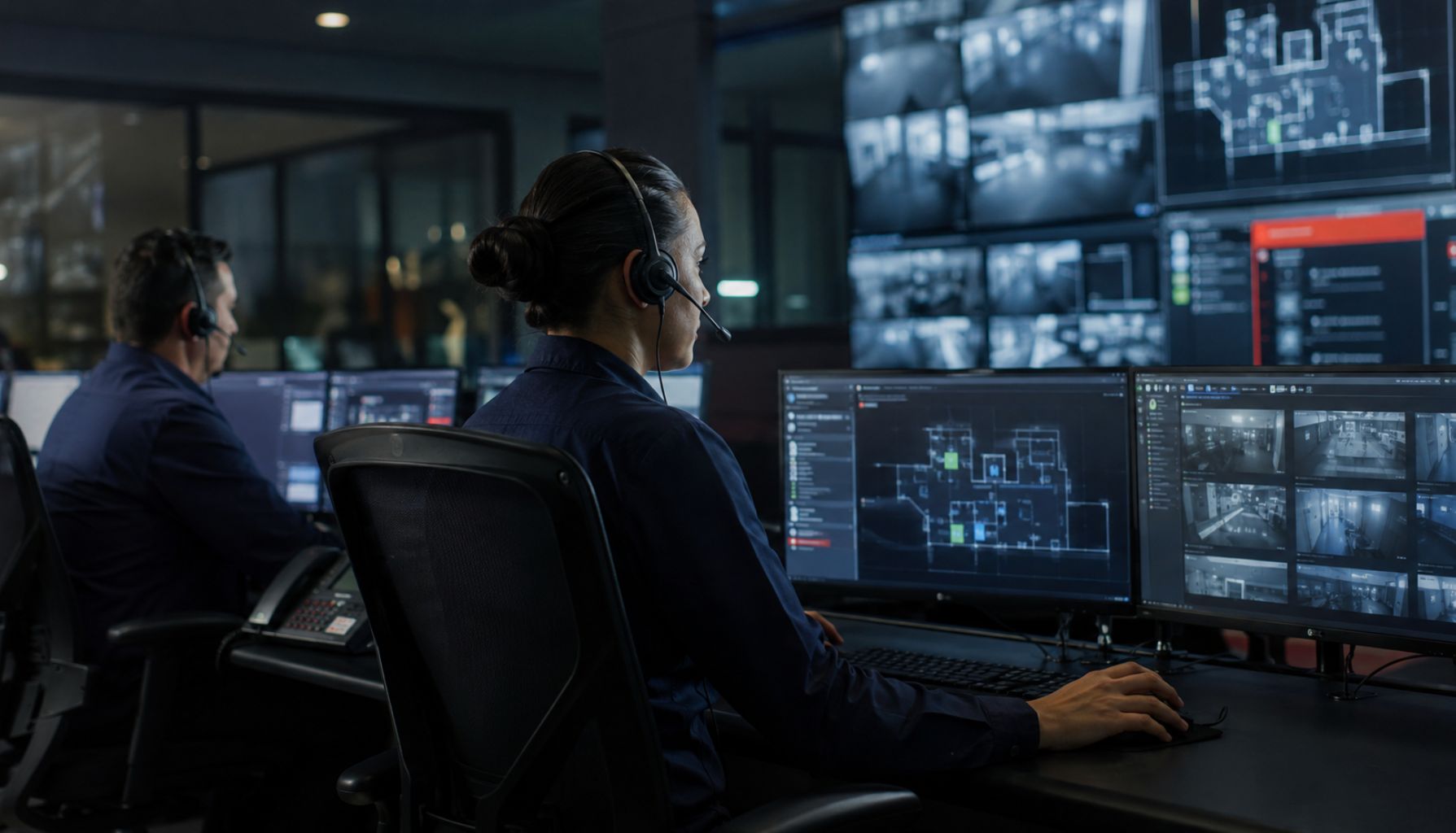
Solucient’s in-house Central Station operates 24 hours a day, 365 days a year. Here is what happens after your alarm activates.
What Is a Central Monitoring Station?
A Central Monitoring Station receives and responds to signals from monitored security systems.
These signals may come from:
- Door and window contacts
- Motion detectors
- Glass-break sensors
- Smoke and heat detectors
- Sprinkler systems
- Panic buttons
- Environmental sensors
- System trouble indicators
Each signal provides information about the protected location, alarm type, and device or zone involved.
The Central Station team reviews that information along with the instructions for your account. Those instructions explain whom to contact, when to dispatch emergency services, and whether verification is required.
Different alarms require different responses. An intrusion alarm may allow time for verification. A commercial fire or panic alarm may require immediate action.
Solucient operates its own Central Station. Our in-house team is available around the clock, with no offshore call center or generic support queue.
What Happens When an Alarm Activates?
From the initial signal to the final response, several important steps happen behind the scenes.
1. Your System Detects a Problem
The process starts when a device detects an unexpected condition.
For example:
- A door opens while the system is armed.
- A motion detector senses movement after hours.
- A glass-break sensor detects the sound of breaking glass.
- A smoke detector identifies signs of a possible fire.
- An employee presses a panic button.
The system sends a signal to the Central Station. It may also activate a siren, strobe, or another alert at your facility.
An alarm does not always mean there is an emergency. An employee may have forgotten to disarm the system, or a device may have detected a condition that needs investigation.
That is why the Central Station reviews the available information before taking the next step.
2. The Central Station Receives the Signal
The incoming signal may show:
- The name and location of the facility
- The type of alarm
- The sensor or zone involved
- The time of activation
- Other signals from the same location
A single door alarm provides limited information. If motion detectors activate inside the building a few seconds later, those added signals provide more context.
The monitoring team reviews the sequence of events and checks the response plan established for that location.
3. A Team Member Reviews the Event
The person handling the event checks the signal’s priority and your account instructions.
Depending on the situation, the response may involve:
- Looking for a disarm or cancellation signal
- Attempting to verify the alarm
- Calling the facility
- Contacting a keyholder
- Dispatching emergency services
- Recording each action
Return to the side-door alarm from the opening. The Central Station receives the door signal, followed by motion inside the facility. The monitoring professional checks for a valid cancellation signal and reviews the response plan.
If the system does not receive a cancellation, the required notification or dispatch process begins.
This is not guesswork. The team follows established procedures based on the alarm type, system setup, account instructions, and local requirements.
4. The Central Station May Verify the Alarm
When appropriate, the team may try to verify the alarm before requesting emergency assistance.
Verification may include:
- Receiving a valid disarm or cancellation signal
- Calling the facility or a designated contact
- Asking an authorized person for a passcode
- Reviewing video or audio when the system supports it
- Reviewing additional signals from the same location
Verification can help distinguish an accidental activation from a possible emergency.
Suppose an employee enters through a protected door without disarming the system. They may be able to enter the correct code and provide their passcode when the Central Station calls.
If the event cannot be verified, the account’s dispatch instructions determine the next step.
Not every alarm goes through this process. Commercial fire alarms, panic alarms, and other urgent events may require immediate action. Procedures also vary by system, facility, and local requirements.
5. The Right People Are Contacted
The Central Station follows your response plan to determine whom to contact.
That may include:
- Your business
- Designated keyholders
- A responsible party
- Police
- The fire department
The order depends on the event.
A panic alarm may require immediate dispatch without calling the facility first. A commercial fire alarm follows a different process from an intrusion alarm. A system trouble signal may require notifying someone who can inspect the equipment.
Clear account instructions help the team reach the right people without unnecessary delays.
6. The Response Is Documented
The Central Station records what happened, including:
- The signal received
- The time it arrived
- The contacts called
- Any verification received
- Whether authorities were dispatched
- The actions taken
This record supports follow-up and accountability.
It can also reveal recurring problems. Repeated alarms from one door may point to a faulty sensor, outdated instructions, or an employee training issue.
How Does the Response Change by Alarm Type?
“An alarm went off” can describe several situations. Each requires its own response.
Intrusion Alarms
Door contacts, motion detectors, and glass-break sensors can trigger intrusion alarms.
The Central Station reviews the available information and follows the facility’s instructions. These may include verification, dispatch, and keyholder notification.
If your system supports video or audio verification, that information may provide additional context.
Commercial Fire and Sprinkler Alarms
Commercial fire alarms require immediate attention.
When the Central Station receives a qualifying fire signal, the team follows the required dispatch process and notifies the designated contacts.
Your fire alarm equipment, monitoring service, emergency contacts, and internal safety plan must all work together.
Panic and Duress Alarms
A panic or duress signal may mean someone needs immediate help.
The Central Station follows the emergency instructions for the account. This may require dispatching authorities without calling the facility first.
Employees should understand when and how to use these devices.
Supervisory and Trouble Signals
A supervisory signal may identify a condition within a sprinkler or life safety system that needs attention.
A trouble signal may point to a power, communication, device, or system problem.
These signals may not indicate an active emergency. However, your team should address any issue that could affect system performance.
The People Behind Your Alarm Response
A security system relies on sensors, alarm panels, and dependable communication. It also relies on trained people.
Central Station professionals must:
- Review signals carefully
- Follow customer-specific instructions
- Communicate clearly under pressure
- Contact keyholders and first responders
- Document their actions accurately
The team may not have a complete view of what is happening inside your building. Their job is to assess the available information, follow the correct procedure, and keep the response moving.
This human support is one reason Solucient operates an in-house Central Station. Monitoring remains part of the service and relationship we provide rather than being passed off to a third party.
A Better Response Starts With a Stronger Partnership
A reliable alarm response begins before an emergency happens.
During onboarding, we work with your team to understand your facility, risks, operating hours, and internal responsibilities.
Together, we decide:
- Whom the Central Station should contact
- The order in which contacts should be called
- Who can cancel an alarm
- Which events require immediate dispatch
- How instructions change by location or schedule
- Whether video or audio verification is available
Your procedures should reflect how your organization operates.
A manufacturer with overnight shifts has different needs from a school that closes each evening. A healthcare facility may require a different notification plan from a retail store.
This planning is part of Solucient’s Pathway to Partnership. We do more than install equipment. We work with your team to create and maintain a response plan that fits your operation.
The partnership continues after installation. If your employees, hours, facilities, or risks change, we help you update the plan.
How Can Your Team Support a Faster Response?
Central Station personnel rely on the information in your account. Outdated details can cause confusion during an alarm.
Review these items regularly:
- Keyholder names and phone numbers
- Responsible-party lists
- Employee passcodes
- After-hours instructions
- Holiday schedules
- Dispatch procedures
- Contacts for system problems
Remove former employees from your contact and authorization lists when their access ends.
Employees should also know what to do after an accidental activation. Entering a valid disarm code may send a cancellation signal. If the Central Station calls, the employee should be ready to provide the correct passcode.
Current information helps the team follow your plan without unnecessary delays.
What Happens After the Alarm?
After the event, our team can help you review what happened and decide whether changes are needed.
Follow-up may include:
- Reviewing repeated or unexplained alarms
- Identifying false-alarm patterns
- Checking whether a device needs service
- Updating contacts and instructions
- Addressing changes in facility use
- Evaluating verification options
These reviews keep your security system aligned with your current operations. They can also help resolve small problems before those problems affect a real emergency response.
Questions to Ask Your Monitoring Provider
If you are reviewing your current monitoring service, ask:
- Is the Central Station in-house or outsourced?
- Is monitoring available 24/7/365?
- What happens for each alarm type?
- Which alarms receive immediate dispatch?
- When will someone call our facility?
- Does our system support video or audio verification?
- How do we update contacts and instructions?
- Who reviews repeated false alarms?
- Who is our ongoing point of contact?
You should understand the process before an emergency occurs.
Know Who Is Responding
Return to that 2:13 a.m. alarm.
Your building is closed, but your security response has already started. A real person has received the signal, reviewed your instructions, and taken the next required action.
That response depends on more than a working sensor. It also requires trained people, clear procedures, current contact details, and ongoing communication.
Solucient’s in-house Central Station monitors systems 24/7/365. Our team reviews signals, takes action, documents the response, and supports your organization afterward.
That is the purpose of our Pathway to Partnership: real people, clear responsibilities, and a team that continues working with you after installation.
Do you know what would happen if an alarm activated at your facility tonight? Schedule a complimentary security review with Solucient. Together, we can review your monitoring procedures, contacts, verification options, and coverage gaps.